Best Free IPTV Player: Complete Guide to Free IPTV Players
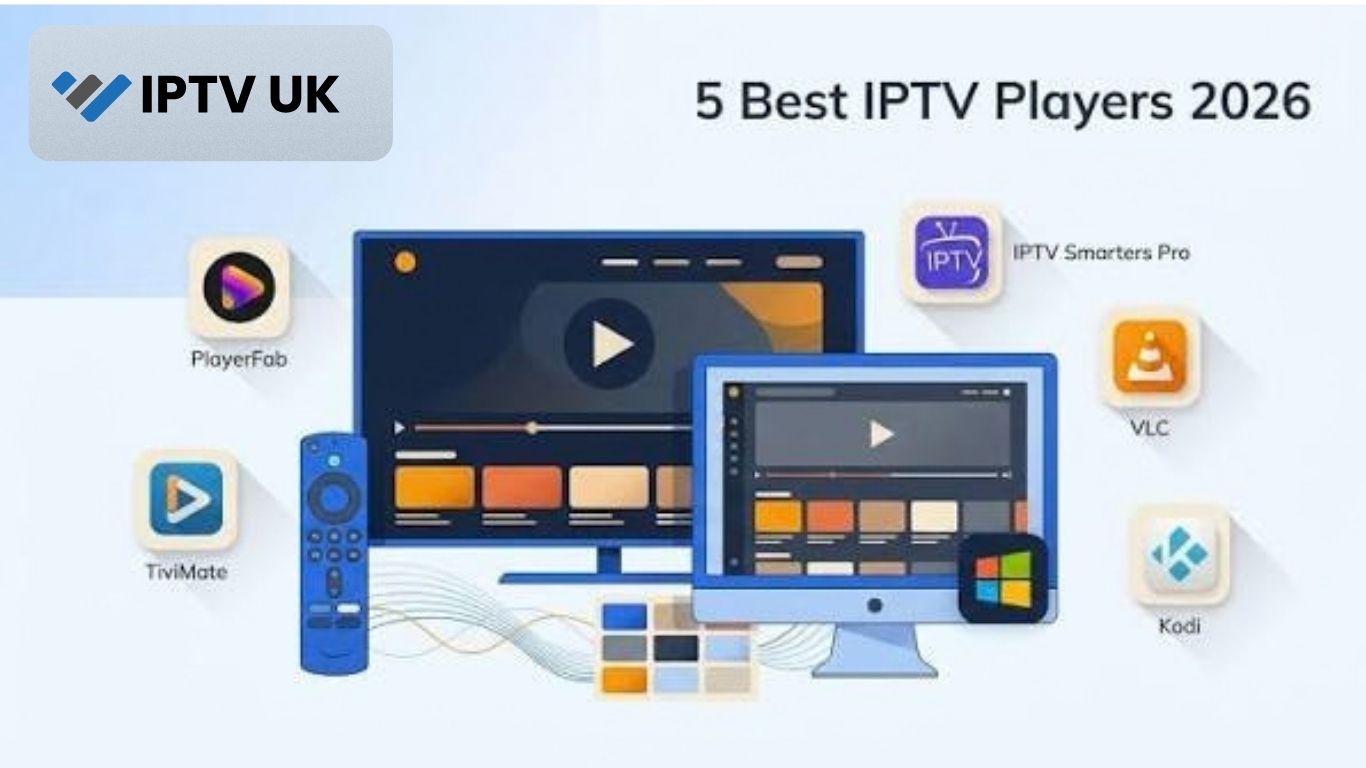
Finding the
best Free IPTV Player can significantly improve your streaming experience. IPTV players provide an interface to load and watch internet-based TV streams, letting users organize channels, playlists, electronic program guides, and other media in one place.
However, an important point is often misunderstood: an IPTV player is generally software for playing and organizing streams. It does not automatically provide television channels or subscription content. Users normally need an authorized playlist, stream URL, or other legitimate source that the selected application supports.
There are many free IPTV players available for Smart TVs, Android TV, Fire TV devices, smartphones, tablets, Windows computers, macOS, and other platforms. Some are completely free, while others offer a free version alongside optional paid features.
This guide explains what to look for in the best Free IPTV Player, compares popular options, provides download links, and explains how to set up and use an IPTV player safely.
What Is an IPTV Player?
An IPTV player is an application designed to play video streams delivered through an internet connection.
Unlike traditional television equipment, an IPTV player normally does not receive channels directly from a satellite dish, antenna, or cable connection. Instead, it processes streaming information supplied through a compatible source.
Depending on the application, an IPTV player may support:
- M3U playlists
- M3U URLs
- EPG data
- Live television streams
- Video-on-demand
- Catch-up television
- Channel groups
- Favorites
- Multiple playlists
- External media streams
- Parental controls
- Subtitles
- Audio track selection
The exact features vary between applications.
What Makes the Best Free IPTV Player?
There is no single IPTV player that is perfect for every user. The best option depends on your device, playlist format, interface preferences, and required features.
Before choosing an IPTV player, consider the following factors.
Device Compatibility
The first consideration should be whether the application works on your device.
You may need an IPTV player for:
- Android TV
- Google TV
- Amazon Fire TV
- Smart TVs
- Android phones
- iPhones
- iPads
- Windows PCs
- Mac computers
- Linux computers
An excellent application is not useful if it cannot run on your hardware.
M3U Playlist Support
M3U is one of the most common playlist formats used with IPTV applications.
A good IPTV player should make it easy to add an M3U file or URL when that format is supported.
EPG Support
EPG stands for Electronic Program Guide.
Instead of seeing only a list of channel names, an EPG can display information about current and upcoming programs.
Useful EPG features include:
- Current program information
- Upcoming programs
- Program descriptions
- Channel schedules
- Program categories
Easy Navigation
A complicated interface can make IPTV frustrating to use, especially when a playlist contains hundreds or thousands of channels.
Look for features such as:
- Search
- Favorites
- Channel categories
- Recently watched channels
- Clear menus
- Fast channel switching
Streaming Stability
An IPTV player should handle supported streams smoothly.
However, remember that the player is only one part of the streaming system. Internet speed, Wi-Fi performance, device hardware, and the stream source can all affect playback.
Best Free IPTV Player Options
The following applications are popular choices for users looking for free IPTV playback software. Availability and features can change over time, so always check the application’s official website or platform store for the latest version.
VLC Media Player
VLC Media Player is one of the best-known free media players available.
It is open-source and supports a very large range of audio and video formats. VLC can also open network streams, making it useful for users who want a straightforward way to test or play compatible IPTV streams.
VLC Features
VLC offers:
- Free and open-source software
- Windows support
- macOS support
- Linux support
- Android support
- iOS support
- Network stream playback
- Extensive media-format support
- Playlist functionality
VLC Download Links
VLC is particularly useful if you want a simple, established media player rather than a television-focused interface.
Kodi
Kodi is a free and open-source media center that can be expanded with compatible functionality and add-ons.
It can be used for managing and playing different types of media, and IPTV-related functionality can be configured through supported add-ons and sources.
Kodi Features
Kodi provides:
- Open-source software
- Windows support
- macOS support
- Linux support
- Android support
- Customizable interface
- Media library management
- Add-on support
- Remote-control compatibility
Kodi Download Links
Kodi is a good choice for users who want a broader media-center experience rather than a basic IPTV player.
TiviMate
TiviMate is designed specifically around television-style IPTV Subscriptionplayback and is particularly popular on Android TV and compatible television devices.
It provides an interface designed to make large channel lists easier to navigate.
TiviMate Features
Depending on the version and platform, features can include:
- TV-style channel interface
- Favorites
- Multiple playlists
- EPG support
- Search
- Channel categories
- Recording-related functionality
- Catch-up support where supported by the source
- Multiple viewing options
TiviMate Download
Always download applications from the official website or an authorized application store rather than unknown APK websites.
OTT Navigator IPTV
OTT Navigator IPTV is another IPTV-focused application designed for users who want extensive organization and customization options.
It can be particularly useful for people managing large IPTV playlists.
OTT Navigator Features
Features can include:
- Multiple playlists
- Favorites
- EPG support
- Channel categories
- Search
- Picture-in-picture functionality
- Customizable interface
- Android-based device support
OTT Navigator Download
Check the official source for current compatibility and installation instructions.
Televizo IPTV Player
Televizo IPTV Player is designed for playing IPTV playlists on compatible devices.
It supports common IPTV playlist concepts and provides a television-focused interface.
Televizo Features
Depending on the platform and version, features can include:
- M3U playlist support
- EPG support
- Favorites
- Channel organization
- Multiple playlists
- Search
- TV-friendly interface
Televizo Download
Check the official website or your device’s authorized application store for the current version.
Free IPTV Player Comparison
Choosing the best Free IPTV Player becomes easier when you compare the major features.
| IPTV Player | Free Version | M3U Support | EPG | Android | Windows | macOS | iOS |
| VLC | Yes | Yes | Limited/Manual | Yes | Yes | Yes | Yes |
| Kodi | Yes | Via supported configuration | Yes | Yes | Yes | Yes | Limited/Platform dependent |
| TiviMate | Yes | Yes | Yes | Yes | No native Windows app | No native macOS app | No |
| OTT Navigator | Yes | Yes | Yes | Yes | No | No | No |
| Televizo | Yes | Yes | Yes | Yes | Limited | Limited | Platform dependent |
Features, operating-system support, and free/paid functionality can change, so check the official download page before installation.
How to Choose the Best Free IPTV Player
Different users have different requirements.
Best Free IPTV Player for Windows
For Windows computers, VLC and Kodi are strong options.
VLC is especially useful for straightforward stream playback, while Kodi provides a more complete media-center environment.
Best Free IPTV Player for Android TV
Android TV users have several IPTV-focused choices.
TiviMate, OTT Navigator, and Televizo can be considered when you want a television-style interface and features such as EPG and channel organization.
Best Free IPTV Player for Fire TV
Fire TV users should check application availability through the official Amazon app ecosystem or the application’s official installation instructions.
Compatibility can vary depending on the Fire TV device and application version.
Best Free IPTV Player for Mobile
For Android phones and tablets, several IPTV-focused applications are available.
VLC is also a useful general-purpose option for users who simply want to play compatible streams.
On iPhone and iPad, VLC provides a well-known free option, although IPTV-specific features may differ from dedicated
UK IPTV applications.
How to Install a Free IPTV Player
Installing an IPTV player is usually straightforward.
Step 1: Identify Your Device
First, determine whether you are using:
- Smart TV
- Android TV
- Fire TV
- Smartphone
- Tablet
- Windows PC
- Mac
Step 2: Use an Official Download Source
Download the application from its official website or an authorized application store.
Avoid random APK download websites and modified application files.
Step 3: Install the Application
Follow the installation instructions for your operating system.
Most applications will appear in your device’s application menu after installation.
Step 4: Open the IPTV Player
Launch the application and look for options such as:
- Add playlist
- Add M3U
- Add URL
- Add source
- Import playlist
The wording differs between applications.
Step 5: Add an Authorized Playlist
Enter your authorized M3U URL, playlist file, or other supported credentials.
The player should then retrieve the available channels and organize them according to the playlist information.
Step 6: Configure the EPG
If EPG data is supported, follow the application’s instructions to configure the program guide.
Step 7: Test Playback
Open several channels and check:
- Video quality
- Audio quality
- Loading speed
- EPG information
- Channel switching
- Overall stability
How to Add an M3U Playlist
M3U playlists are commonly used with IPTV players.
The exact process depends on the application, but the general method is similar.
Add an M3U URL
Many IPTV players provide an option to enter an M3U URL.
Typically, you would:
- Open the IPTV player.
- Select the playlist option.
- Choose to add a URL.
- Enter the authorized M3U address.
- Give the playlist a name.
- Save it.
- Wait for the channel list to load.
Import an M3U File
Some applications allow users to upload or select an M3U file stored on their device.
This can be useful if your authorized playlist has been provided as a downloadable file rather than a URL.
What Is an EPG in an IPTV Player?
An EPG is an Electronic Program Guide.
It works similarly to a traditional television guide by showing scheduled programming.
Without an EPG, an
BUY IPTV application may dis
play only channel names.
With an EPG, users may see:
- Current programs
- Future programs
- Program descriptions
- Broadcast times
- Program categories
For large playlists, EPG support can make navigation much easier.
Why Does an IPTV Player Buffer?
An IPTV player does not control every part of the streaming process.
Buffering can be caused by several factors.
Internet Speed
High-resolution streams require more bandwidth.
Wi-Fi Problems
Weak wireless signals can result in inconsistent performance.
Network Congestion
Multiple devices using the same connection can reduce available bandwidth.
Device Performance
Older hardware may struggle with high-resolution video or demanding applications.
Stream Source
The source of the stream can also experience technical problems or capacity limitations.
How to Fix IPTV Buffering
If an IPTV stream keeps buffering, try these steps:
- Test your internet connection.
- Restart your router.
- Restart the IPTV player.
- Use Ethernet instead of Wi-Fi where possible.
- Close bandwidth-heavy applications.
- Restart the streaming device.
- Update the IPTV application.
- Update the device operating system.
- Test a different authorized stream.
- Check whether the issue affects only one channel or the entire playlist.
If only one stream has problems while other streams work normally, the issue may not be your device or internet connection.
Is a Free IPTV Player Really Free?
Many IPTV players can be downloaded and used without an upfront payment.
However, “free player” does not necessarily mean every feature is free.
Some applications may offer:
- Free basic playback
- Optional premium features
- Advertising
- In-app purchases
- Additional functionality behind a paid version
Always check the application’s current terms and pricing before assuming every feature is included at no cost.
Does a Free IPTV Player Provide Channels?
No.
This is one of the most important things to understand.
An IPTV player is generally a software application. It provides the interface and playback functionality needed to process compatible streams.
It does not automatically give users access to premium television channels.
Users need an appropriate and authorized content source that is compatible with the player.
Are Free IPTV Players Legal?
The IPTV player itself can be legitimate software.
The legal question usually concerns the content being accessed through it.
IPTV technology is simply a method of delivering media over the internet. The legality of a particular stream depends on whether the content is being distributed and accessed with the necessary rights and authorization.
Users should therefore make sure that the playlists and streams they access are properly authorized.
Free IPTV Player Security Tips
Security is important when downloading IPTV applications.
Download From Official Sources
Use official websites and recognized app stores whenever possible.
Avoid Modified APK Files
Modified or cracked applications can create unnecessary security risks.
Keep Your Device Updated
Install operating system and application updates when available.
Use Strong Account Credentials
If an IPTV application requires an account, use a strong and unique password.
Be Careful With Unknown Links
Avoid entering personal information into suspicious websites or downloading unexpected files.
Best Free IPTV Player: Which One Should You Choose?
The right choice depends on your needs.
Choose VLC If You Want Simplicity
VLC is a strong choice for users who want a free, established media player with broad format and device support.
Choose Kodi If You Want a Media Center
Kodi is better suited to users who want a customizable media environment with extensive functionality.
Choose TiviMate for a TV-Focused Interface
TiviMate is designed around television-style IPTV navigation and can be useful for compatible Android TV devices.
Choose OTT Navigator for Customization
OTT Navigator can be suitable for users who want more control over playlists, categories, EPG information, and interface organization.
Choose Televizo for Straightforward IPTV Playback
Televizo provides IPTV-focused functionality and can be considered by users looking for a dedicated player.
Frequently Asked Questions About the Best Free IPTV Player
What is the best Free IPTV Player?
There is no universal winner. VLC is excellent for general media and stream playback, while dedicated applications such as TiviMate, OTT Navigator, and Televizo may offer more IPTV-focused features.
What is the best Free IPTV Player for Smart TV?
The answer depends on the Smart TV operating system. Check the TV’s official app store for compatible IPTV applications and select one that supports your playlist format.
What is the best Free IPTV Player for Android TV?
TiviMate, OTT Navigator, Televizo, and Kodi are options worth considering, depending on your preferred interface and required features.
Can I use VLC as an IPTV player?
Yes. VLC can play compatible network streams and playlist formats. It is particularly useful when you want a simple and free media player.
Does VLC provide IPTV channels?
No. VLC is a media player. You need an authorized stream or playlist to provide the content.
Is Kodi free?
Yes. Kodi is free and open-source software.
Can I use a free IPTV player on Fire TV?
Some IPTV applications support Fire TV, but availability depends on the specific application and device. Check the official application source for current compatibility.
Do IPTV players support M3U playlists?
Many IPTV players support M3U playlists, although the exact implementation can vary.
Do free IPTV players support EPG?
Many dedicated IPTV players support EPG data. VLC, as a general media player, does not provide the same dedicated IPTV guide experience as specialized IPTV applications.
Why is my IPTV player buffering?
Buffering can result from internet speed, Wi-Fi problems, network congestion, device limitations, application issues, or problems with the stream source.
Can I use an IPTV player on my phone?
Yes. Several IPTV players support Android and iOS devices, although available features vary by application and operating system.
Are free IPTV players safe?
Well-established applications downloaded from official websites or recognized app stores are generally preferable to unknown modified applications. Avoid unofficial downloads that may contain unwanted or malicious software.
Final Thoughts
Choosing the best Free IPTV Player depends on what you expect from your streaming setup.
For simple media playback, VLC Media Player is a strong free option. Users looking for a customizable media-center environment can consider Kodi. For dedicated IPTV interfaces, applications such as TiviMate, OTT Navigator IPTV, and Televizo provide features designed around playlist management, EPG data, channel organization, and television-style navigation.
Before downloading any application, check its official website and confirm that it supports your particular device. It is also important to use authorized playlists and streams because an IPTV player itself does not determine whether the content being accessed is legally distributed.
Ultimately, the best Free IPTV Player is the one that combines device compatibility, reliable playback, easy navigation, playlist support, EPG functionality, security, and the features you actually need. By comparing these factors instead of choosing an application based only on its name or number of features, you can build a more reliable and user-friendly IPTV setup.
